Mobile and app
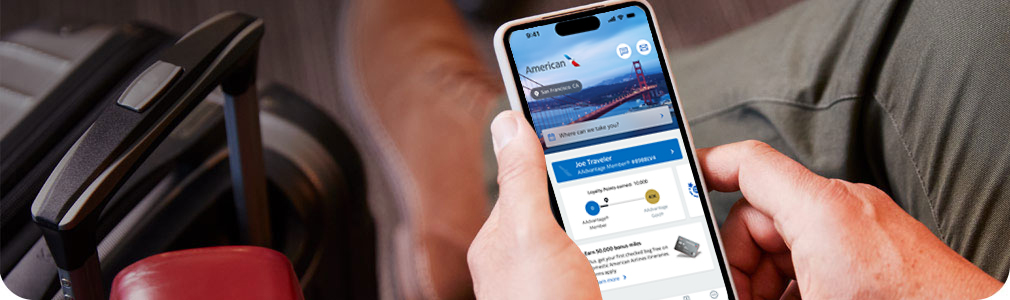
Mobile aa.com
You can check your flight status, view or change reservations, access your AAdvantage® account and more from your phone or tablet.
Mobile boarding pass
How to get your mobile boarding pass:
- Go to aa.com or your mobile app and choose ‘Email with Mobile Option’
- Follow the link in your email
- Save your boarding pass to your device for easier access through security
See if your airport accepts mobile passes.
The American Airlines app
Connect anytime, anywhere
Download our free app and manage your travel on the go. From booking and seats to boarding passes and airport maps, we're with you every step of the way. Plus, now you can speak directly with a team member or get 24/7 virtual help through our chat tool.
Download the app
Flight notifications
Stay connected on the go
Get the latest offers, news and AAdvantage® promotions through the American app. To get started, go to your communication preferences and make your choices. You can edit or opt out at any time.
BeNotified – alerts for all your flights:
Sign up or change your preferences from the ‘BeNotified’ link in your AAdvantage® profile to get alerts for every flight by text or email.
Choose alerts for:
- Day-of-travel delays and cancellations
- Departure reminders
- Gate changes
Flight notifications for specific flights
You can also choose to set a single alert for a specific flight.
| Notification preferences | Push notifications | BeNotified | Flight status notification |
|---|---|---|---|
| Send alerts every time you fly | available | available | Not available |
| Send alerts to friends and family | Not available | Not available | available |
| Day-of-travel delays and cancellations | available | available | available |
| Departure reminders | available | available | available |
| Gate changes | available | available | available |
| Get alerts via email or text | Not available | available | available |